I spend a lot of time on my phone and laptop each day, so I’m willing to pay for a device that will be excellent. But I was very disappointed with the iPhone 17 I switched to. Sure, it has polished aesthetics and you can tell that lots of effort has gone into making things look beautiful – but fundamentally I want my phone to be functional, and by that measure it is far worse than either the Pixel or OnePlus devices I had before. (You should assume that where I say “the iPhone can’t do X”, it is possible to do X on a Pixel.)
I’m an opinionated user; I appreciate that many people won’t share my tastes. But the thing is, almost all of my complaints are about software! So there’s no in-principle reason they shouldn’t be user-configurable – Apple has just decided that customisability isn’t what they do.
This is a shame, because we’re living in the best time in history for personalised software. LLMs are great at writing small scripts to solve minor frictions, but that’s only useful if you can actually integrate the code they produce into the source of the problem. Phones are worse than laptops for customisability across the board, but Android is still heaps better than iOS in this regard. And as the models get more capable, the costs of forgone customisation will get higher still. Is the visually stunning liquid glass really so good it’s worth giving up on practically all software flexibility? I don’t think so.
There are a few considerations in favour of an iPhone beyond aesthetics, but none seem sufficiently strong to outweigh the downsides I’ve encountered. In particular, I’m thinking of:
- Better resale value
- This doesn’t bear especially heavily on my decision since (as mentioned) I’m willing to pay a lot for a good phone.
- Also, I find switching phones to be a big hassle (in terms of time to set it up and also readjust), which means that once I have a phone that meets my needs I keep it for a long time, by which point the resale value will be very low regardless of the brand.
- Ecosystem effects
- If you have a Mac (which I probably will switch to), the tight integration with Safari and other Apple offerings becomes an attraction rather than an inconvenience. But fundamentally what I care most about is that my phone works well in its own right, rather than as an accessory to my laptop and tablet.
- Americans are obsessed with iMessage (and maybe FaceTime too?), so it’s perhaps socially costly to be stuck with green bubbles.
- Security
- I’m thinking in particular of Memory Integrity Enforcement, but there might be other advantages too (e.g., Face ID is meant to have lower false positive rate than even ultrasonic fingerprint sensors)
- But my guess is that this level of security is probably only important if you’re a highly exposed person; otherwise a Pixel is roughly as good?
One putative benefit of iPhones which I think is mostly illusory is privacy. As mentioned before, last year I came round to the view that it’s worth sacrificing maximal privacy for better functionality, which Android definitely has (by my lights). Part of why I changed my mind is reflecting on what privacy is good for. (I’m not convinced it’s intrinsically good.) The main benefit I can think of, in the context of tech products, is that protecting your privacy makes it harder for firms to exploit or manipulate you – e.g., by preventing them from perfectly price-discriminating and capturing all your surplus, or from devising schemes to shape your preferences to their benefit over time. But once you take the most basic steps (installing an adblocker, disabling third-party cookies, using an anti-tracking DNS/VPN like DuckDuckGo’s App Tracking Protection), it just seems like there isn’t much of a practical difference between using Android and iOS. Yes, Google will send more telemetry back, but this doesn't really bother me in itself!
Notifications are harder to control or customise
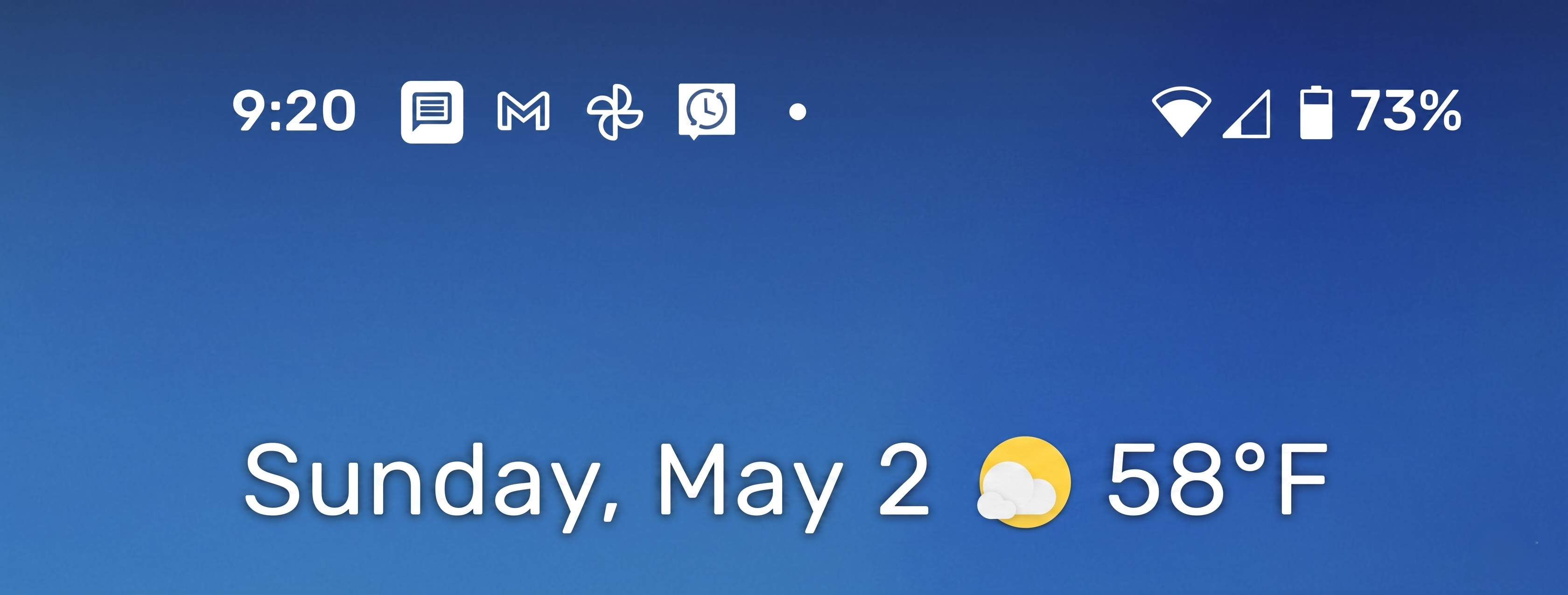
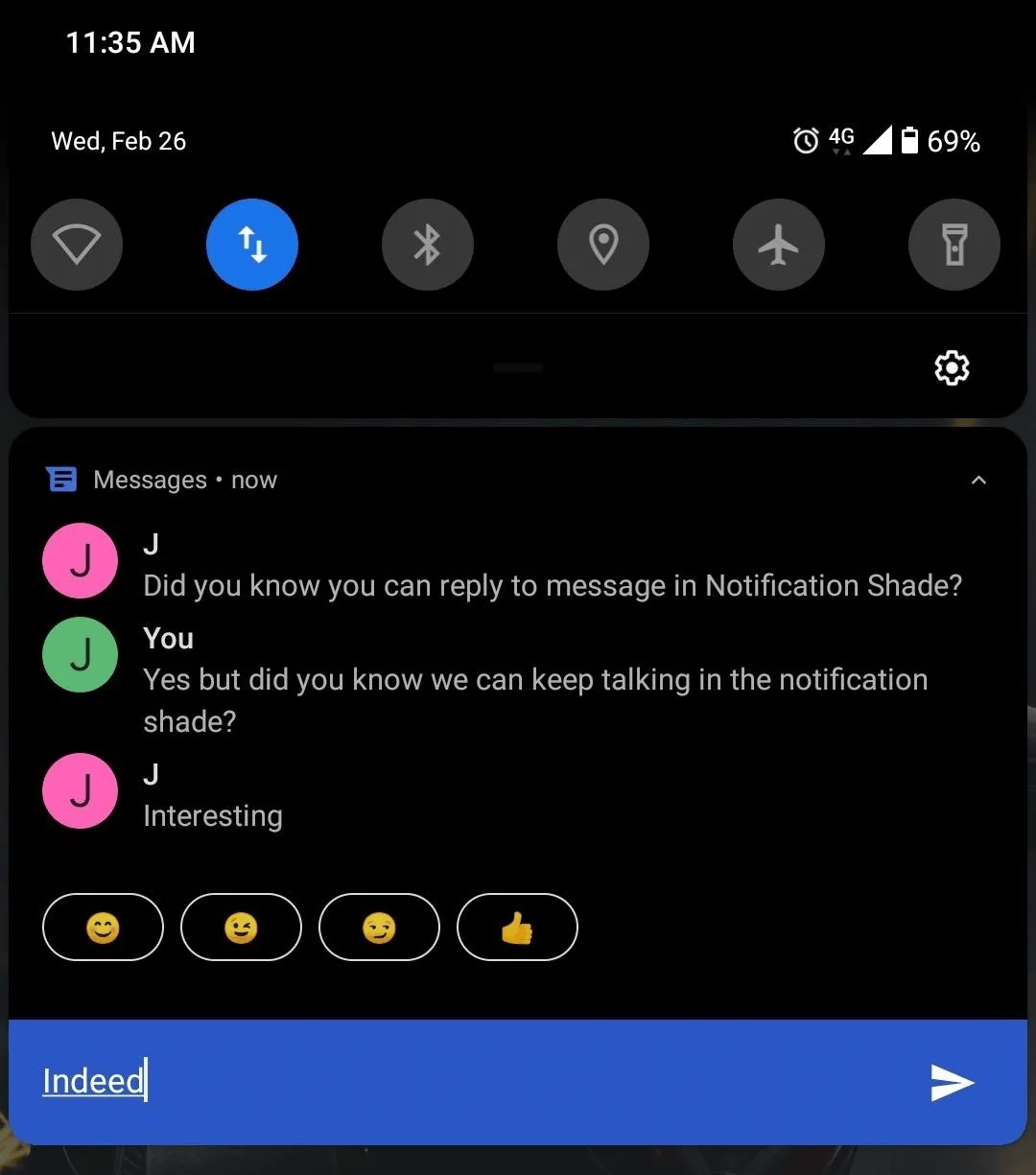
- No notification dots in top tray so you only see active alerts on the lockscreen or by pulling down the shade (or by allowing banners).
- Banners are extremely distracting, so I always disable them.
- But then, without notification dots, there’s no way to notice while using your phone that e.g. you have received an email / message, without actively looking for it.
- And having to do that active swiping down is exactly the sort of friction that disrupts your flow.
- Indeed, this is exactly why (back on Android) I abandoned my strategy of turning off notifications for messaging apps like WhatsApp – it just made me open the app more often to check if anything had happened. Similarly, without the negative feedback of no dots in the top tray, you keep swiping down the shade to check if anything is happening
- You have almost no control over which of a specific app’s notifications to allow, if it doesn’t let you filter these in-app.
- For example, dating apps (Bumble especially) often send nonsense notifications to try and get you to open their app. But it’s impossible to disable these while still permitting push notifications on a match / new message (which presumably you want)
- And approaches like DoNotNotify won’t work on iOS because of sandboxing
- No notification history
- Quick actions on notifications aren’t available without a long press (e.g. suggested replies, delete email, etc)
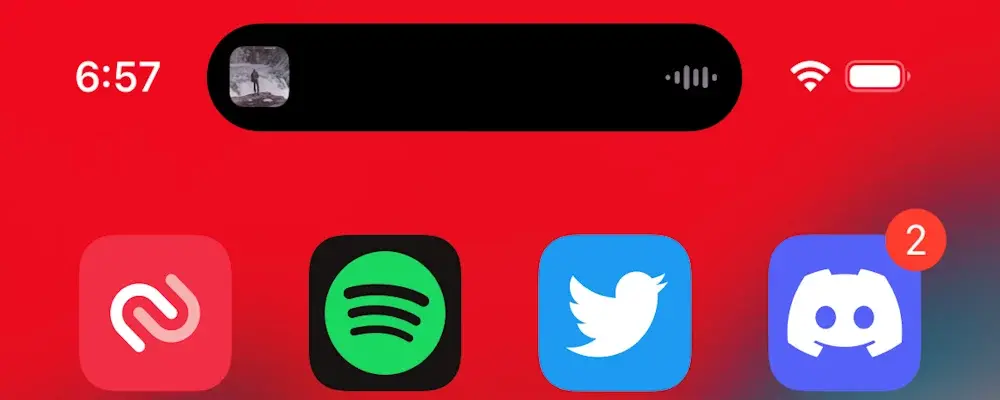
- Spotify’s use of the dynamic island is super distracting, and you can’t disable it.
- I don’t want a dancing waveform at the top of my screen that I have to swipe away every time I start playing music. I can hear the music; I know it’s playing!
Keyboard, typing, and navigation are all much worse for productivity
I know some people mostly use their phone to watch content or take photos, but I spend lots of time typing. So even small hits to the quality of the typing experience matter a lot.
- Missing important keys
- There’s no comma in the primary tray of the keyboard (it’s in the symbols tray)
- There’s no number row (although this is fixable with SwiftKey)
- Predictive text and autocorrect seem at least 10x worse (i.e. >=10x as many typos slip through)
- They don’t learn my email addresses quickly (even when available to the system, by having logged into those accounts)
- Even when I switched to Gboard (which has the downside, relative to SwiftKey, of no number row), typing was a noticeably unpleasant experience.
- It’s much harder to select, copy, and edit text.
- There’s no permanent clipboard history, only a size-1 clipboard
- There’s no character-by-character haptic feedback when seeking with spacebar, so very hard to do precisely
- Backspace after swipe-typing doesn’t delete the whole word immediately and you instead need to long press
- The cursor seems much more resistant to being moved by tapping or dragging on the text area than in Android
- This is even after having had the phone for a couple of months.
- Often the context menu after you select one word doesn’t have a select all button (e.g., in Gmail)
- Pressing shift with text selected doesn’t toggle case
- You can’t toggle visibility on passwords e.g. when typing in for WiFi
- Even if you disable other keyboards and dictation, there’s 1cm of dead space at bottom of keyboard where those icons would go
- There’s no right-hand side back swipe gesture (even though this is exactly where your thumb naturally lies as a right-handed person using your phone in one hand!). There’s also no way to dismiss the keyboard with back-swiping at all, so you often have to needlessly scroll up and back down to get the full-height viewport back.
- You don’t have control over whether or not to open links in app from the browser, unlike Firefox Android.
- When you swipe home from an app, it takes you back to that app’s folder, not the home screen. But this is slower since most of the time you want a different folder to the one you started in.
Safari is the only extension-able browser, but it works poorly with Windows
The main problem is that Safari doesn’t cooperate at all with Windows for cross-device tab sync, but non-Safari browsers don’t have extensions available (e.g. for adblocking or dark mode). So you have to give up something.
- AdGuard in Safari is noticeably worse than uBlock on Firefox for Android at blocking cookie annoyances
- Safari does “open in new tab” worse.
- In Firefox, you stay on your current tab, with a transient notification at the bottom of the screen letting you switch tab if desired.
- Safari just forcibly switches tab, and you can’t even return with a single swipe if you’ve opened multiple tabs from your original one, because the newest tab goes at the end of the tabs list.
Connectivity and telephony lack convenient features
- It’s not possible to set up a hotspot while you’re connected to WiFi.
- Use cases: my laptop isn’t connecting to a network but my mobile does; I’ve only paid for hotel WiFi on one device (or just want to avoid the inconvenience of signing up twice)
- You can’t set a mobile data billing cycle and daily or monthly limits (manual reset only)
- There’s no automatic caller ID for outgoing calls (whereas Android matches against Google Maps data)
Watch does not perform several of the functions you’d expect it to
- Apple Watch 11 checks my heart rate >100x less frequently than Pixel Watch 4 (every 5min rather than every second).
- Sometimes, there are gaps of 10min or more in my heart rate data, and so it misses the entirety of my cycle commute (where usually my heart rate peaks at ~135bpm)
- And still it has worse battery life…
- WhatsApp calls don’t notify me on watch (unless I enable all WhatsApp notifications, which I don’t want)
Several apps are degraded compared to Android
In some sense it’s not fair to blame this on Apple, but it is the case that third-party developers seem to degrade the iOS versions of their products. And besides that, for all Apple cultivates an image of a company on the side of its users, I find the App Store to be much more spam-ridden and unpleasant than the Play Store, when it comes to installing apps.
Gmail
- There aren’t any shortcut suggested folders to move items to, or when navigating
- When selecting messages the screen has a vertical shift. And sometimes the checkboxes to select items just don’t appear
Spotify
- When playing on the kitchen Sonos speaker with Spotify, I can’t use my volume buttons to control volume (this didn’t perfectly work on Pixel either, but was at least normally possible)
- Doesn’t let you like a song from the “now playing” bar at the bottom of the screen; you have to click into it first
- Pauses needlessly when no-sound videos (e.g. on Hinge profiles or how-to GIFs on Hevy) start playing
- There’s no way to get WhatsApp images appearing in the native phone gallery separately in their own folder, unless you have them auto-save to gallery, in which case they’ll be duplicated (in both your gallery and WhatsApp internal storage)
OneNote
- OneNote insert image / scan doesn’t allow you to apply an image filter, even though it’s exactly the same scanning engine as the OneDrive app, which does have this feature even on iOS.